Set the submission deadline and decide how much reviewers can see.
The Submission Settings screen is where you configure the rules of the call for abstracts. You set the close date and time of the submission window and choose whether reviewers see speaker identities or each other’s scores.
Contents
Submission Settings (close date / time)
Role: Admin
The submission deadline is a single date and time that governs the whole portal. You enter it in your local timezone; the portal records it in UTC and displays it back in everyone’s local timezone wherever it appears. Once the deadline passes, Step 2 of the submission flow blocks new submissions and the Submit Abstract button hides from the home page automatically. Editing an existing abstract in Change Requested is still allowed after the deadline.
- Set the submission window’s close date and time
- Your input is taken in your local timezone and shown back in local timezone everywhere
- After the deadline, Step 2 blocks new submissions with a clear message
- The Submit Abstract button on the home page hides automatically
- The deadline appears on the home page, the speaker dashboard, and Step 2 so speakers see it before they begin
- For the speaker-facing display, see Submission deadline and timezone in Submitting an Abstract
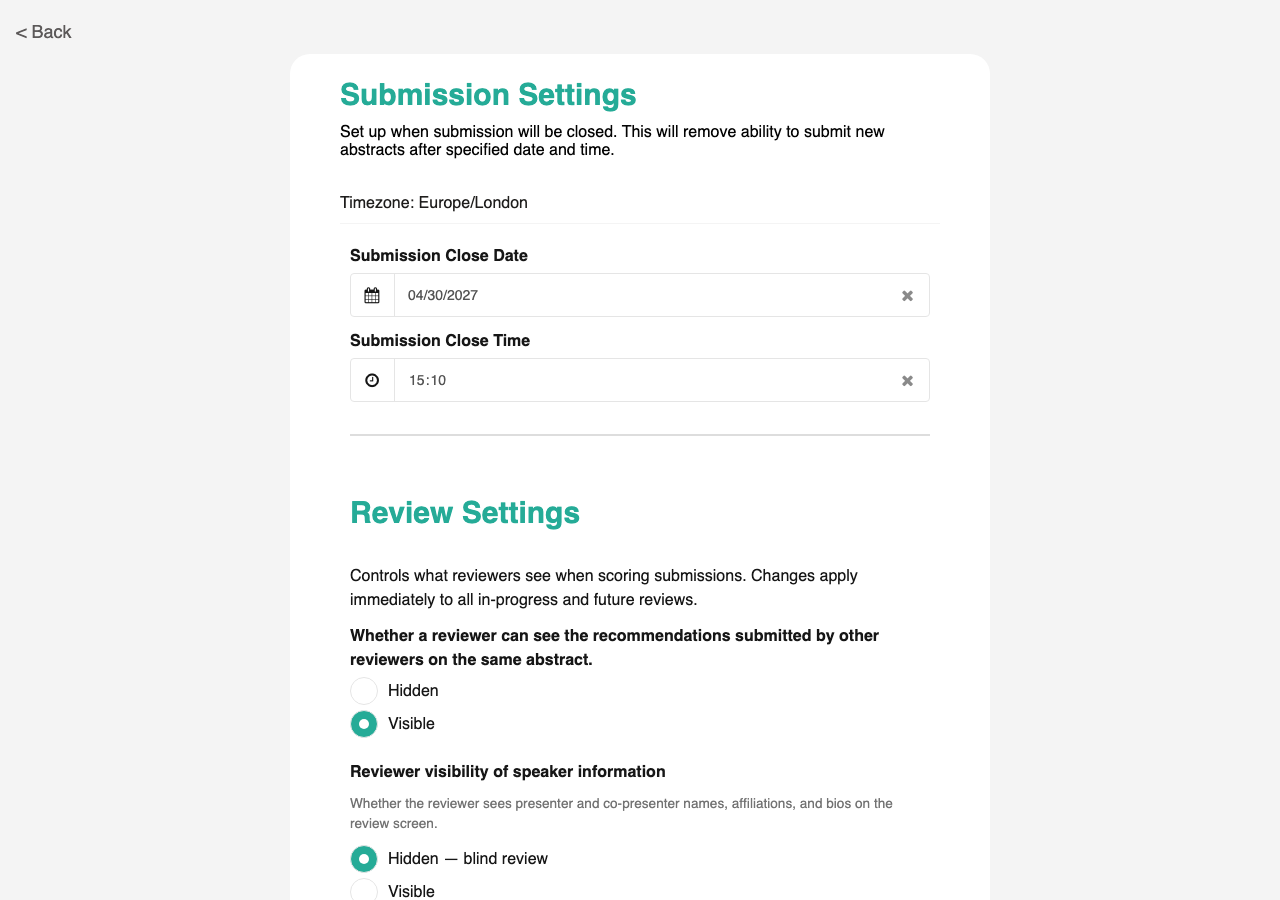
Uses the standard Form Builder component. Custom local/UTC conversion so the deadline is stored consistently and shown to each user in their own timezone.
Reviewer visibility settings
Role: Admin
Two toggles on the Submission Settings screen control what reviewers see when they open the detail screen for an abstract: Speaker information and Other reviewers’ scores. Set each to Visible or Hidden depending on how anonymous you want the review process to be. Changes apply immediately to every reviewer’s detail screen.
- Speaker information toggle: show or hide the speaker’s name, organization, bio, and co-presenters
- Other reviewers’ scores toggle: show or hide each reviewer’s score, notes, and the running average
- Changes apply immediately to every reviewer’s detail screen
- Combine the two to run fully anonymized review (both hidden), fully open review (both visible), or any mix
- For the reviewer-facing behavior, see Other reviewers’ scores visibility and Speaker information visibility in Reviewing Abstracts