Walk through scoring an abstract end to end, from your reviewer queue to submitting a score with notes.
This guide walks through the reviewer journey from sign-in to a saved review. It covers picking an abstract from your pending queue, reading it on the detail screen, and submitting a 1-5 score with optional notes.
Role: Reviewer | Screens: 2 | Estimated steps: 2
Before you start
- Have a reviewer account on the portal (assigned by an admin)
- Be ready to score abstracts on the 1-5 scale agreed by your committee
- Be prepared to write brief notes if your committee uses them for feedback to speakers
Step 1: Pick an abstract from your Pending Review queue
Sign in to the portal. You land on the Reviewer Submission Dashboard, pre-filtered to Pending Review. The counters at the top show how many abstracts still need your score and how many you have already reviewed. Click any row to open the abstract.
- Confirm your pending count at the top of the screen
- Switch the filter to Reviewed to see your completed work if you need to find a previous review
- Click any pending row to open the abstract for scoring
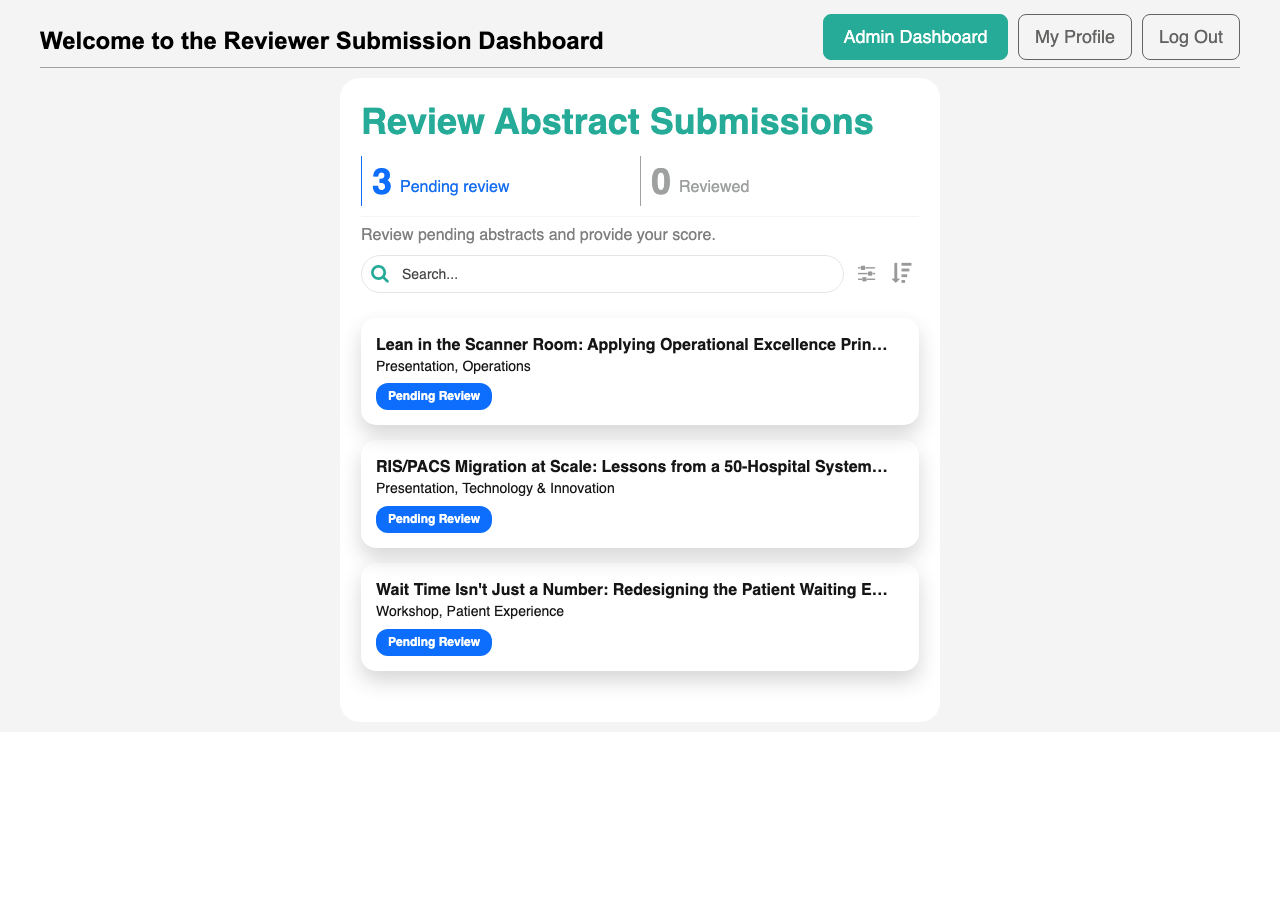
Part of Reviewing Abstracts: see Reviewer Submission Dashboard for full feature details.
Step 2: Read the abstract and submit your score
The Reviewer Submission Details screen shows the full abstract: title, type, category, audience level, overview, key takeaways, and any attached files. Depending on the portal’s visibility settings, you may also see the speaker’s identity and other reviewers’ scores. Below the abstract is the review form. Enter a score from 1 to 5 and optional notes; the portal records your email and the abstract reference automatically.
- Read the abstract content and review any attachments
- Score the abstract from 1 to 5
- Add notes for the speaker (shared with them if the admin includes them in the decision email)
- Add internal notes for organizers only, if your committee uses them
- Click Submit to save your review
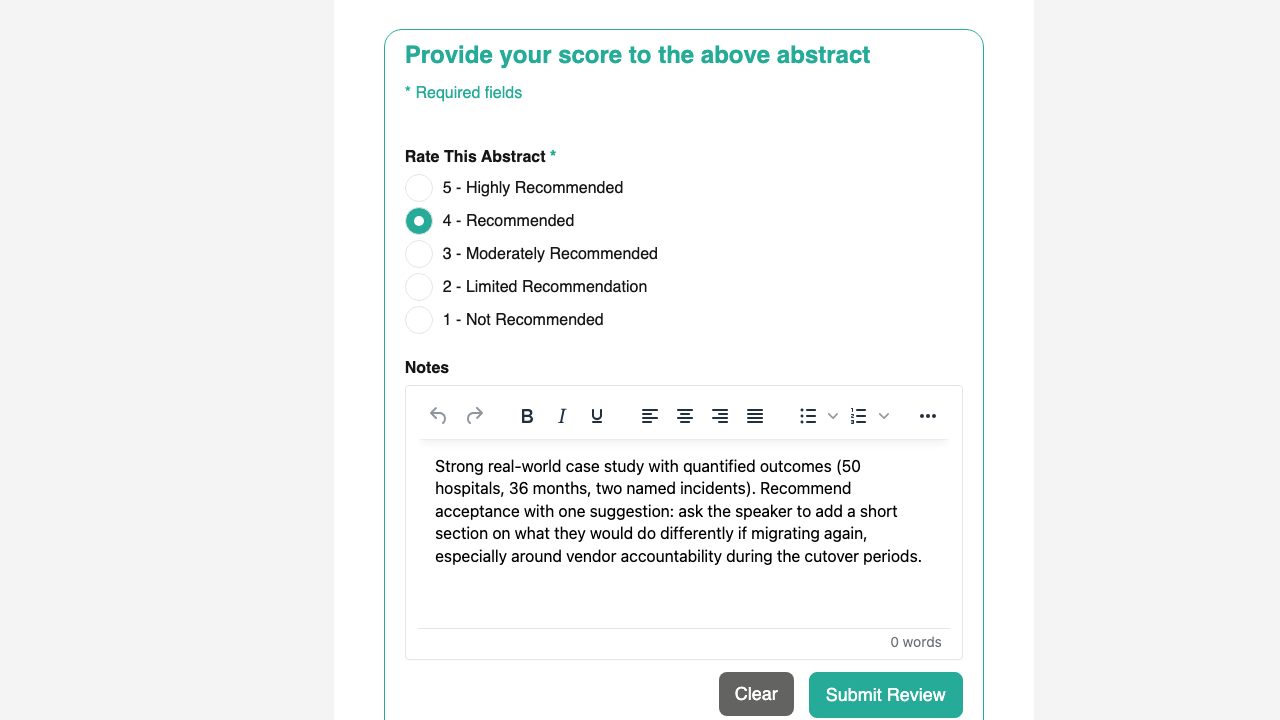
Part of Reviewing Abstracts: see Reviewer Submission Details and Submitting a 1-5 score with notes for full feature details.
What’s next
- After you submit, the abstract moves from your Pending Review count into your Reviewed count.
- If the speaker resubmits later after the admin requests changes, the abstract returns to Pending Review with your previous score loaded. Update it in light of the revisions and submit again. See Editing your previous review in Reviewing Abstracts.
- Admins use the aggregated reviewer scores on their decision screen to accept, reject, or request changes.