Browse exhibitors, manage exhibitor teams, and participate in the exhibitor bingo challenge.
This section covers the exhibitor directory, exhibitor self-service tools, team management, and the gamified exhibitor bingo feature. Attendees can browse exhibitors and participate in bingo, exhibitors can manage their own teams and view performance metrics, and admins oversee the full exhibitor setup and prize draws.
Contents
- Exhibitors
- Manage Exhibitor
- Exhibitor Tools
- Manage Team
- Exhibitor Bingo
- Manage Exhibitor Bingo
- Exhibitor Bingo Leaderboard
- Exhibitors Bingo Report
Exhibitors
Role: All Users
The exhibitor directory lists every vendor, sponsor, and exhibitor at the event in one searchable list. Tap any exhibitor to view their full company profile, booth location, and contact details. From the detail view, you can add personal notes, start a chat conversation, request a meeting, or navigate to their booth on the interactive floor plan. Admins can generate a bulk PDF of all exhibitor QR codes for printing.
- Browse and search the full exhibitor directory by name, category, or expertise
- View exhibitor details including company description, booth location, and contact information
- Add personal notes about an exhibitor for post-event follow-up
- Start a chat conversation with the exhibitor’s designated contact
- Request a meeting with exhibitors who have team members assigned
- Navigate to the exhibitor’s booth location on the interactive floor plan
- Generate a bulk QR code PDF for all bingo-participating exhibitors (admin only)
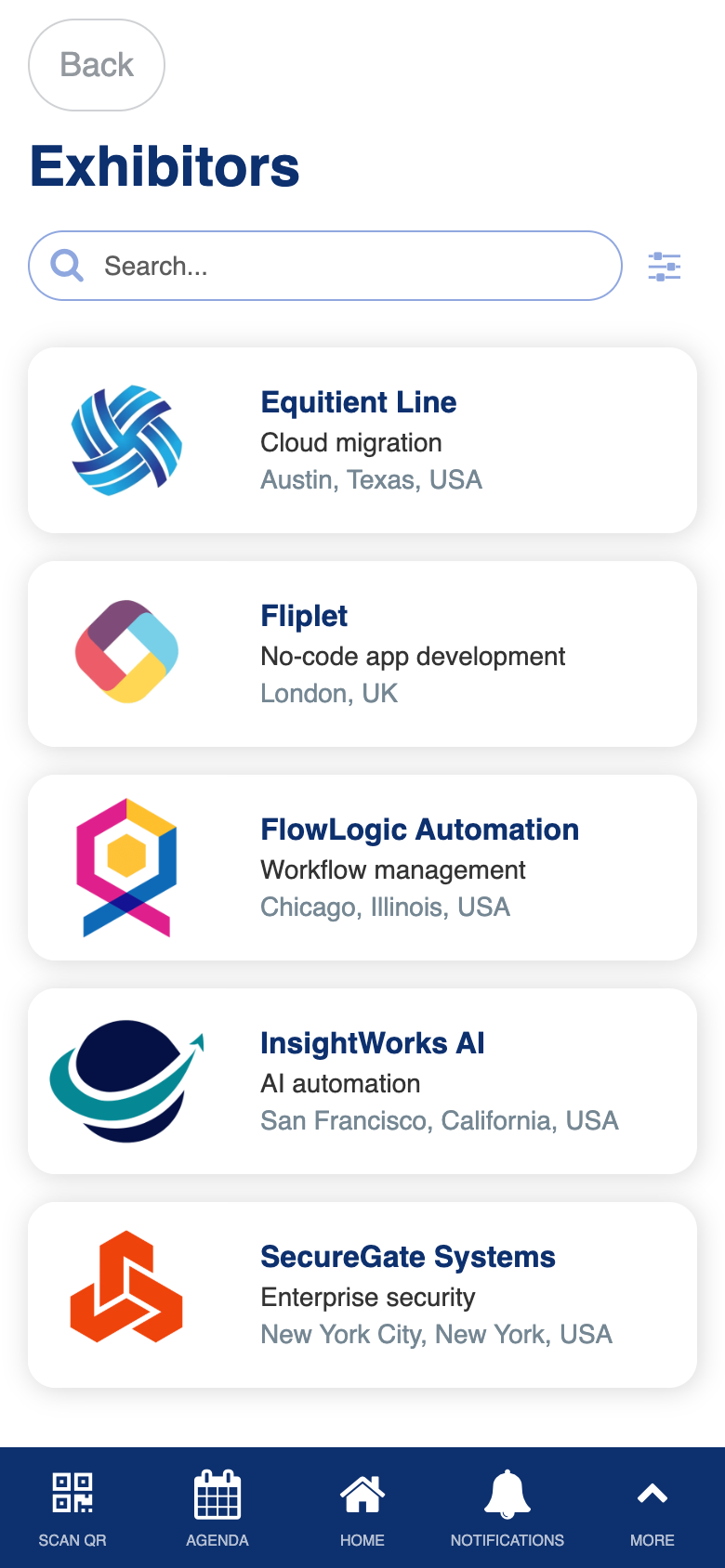
Custom directory with notes integration, chat, meeting requests, floor plan navigation, and bulk QR code PDF generation.
Manage Exhibitor
Role: Admin
The manage exhibitor screen lets admins create and edit exhibitor records. You can assign team members from the user directory, designate a chat contact, set exhibitor admin permissions, and control whether the exhibitor participates in bingo. QR codes for bingo are automatically created or removed based on the participation setting.
- Create new exhibitor records with company details and booth information
- Assign team members from available speakers and exhibitors (already-assigned users are excluded)
- Designate which team member handles inbound chat messages
- Grant exhibitor admin rights to specific team members
- Enable or disable bingo participation (QR codes are managed automatically)
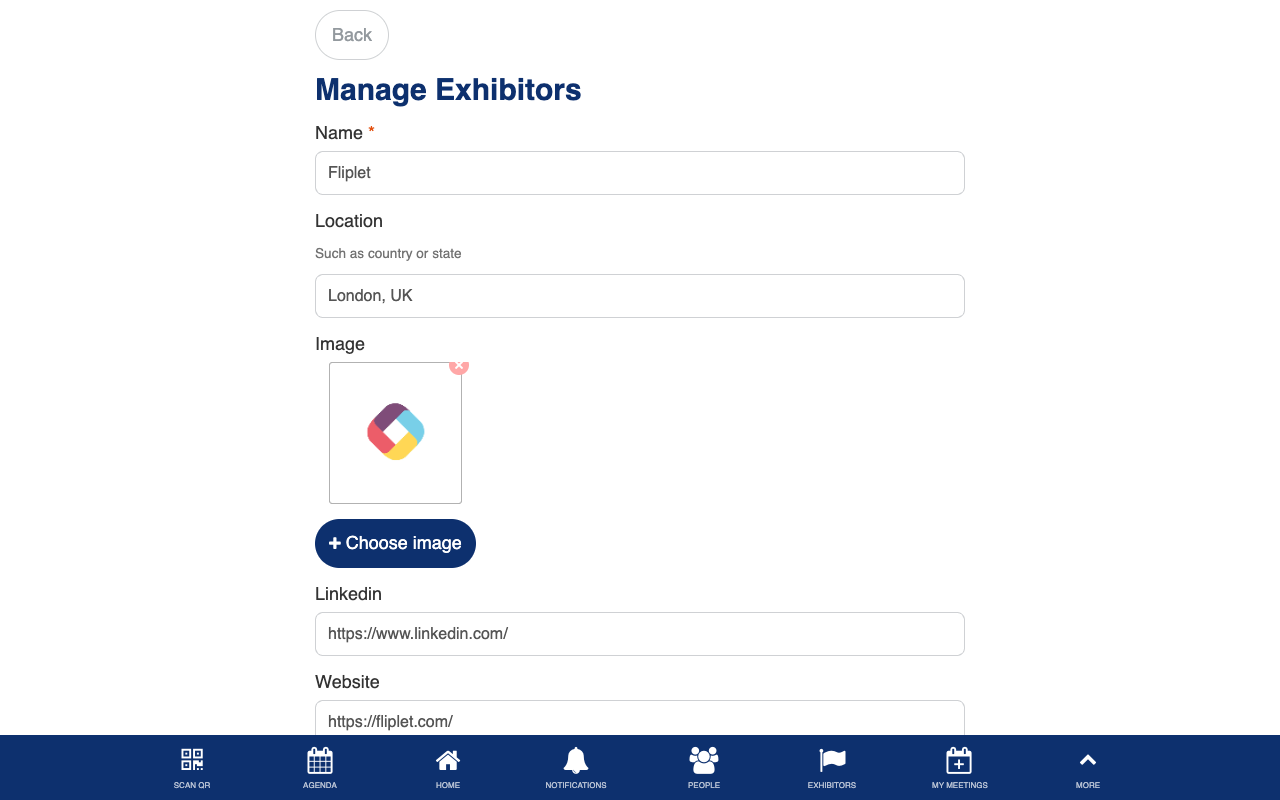
Custom team assignment with availability filtering and automatic QR code lifecycle management.
Exhibitor Tools
Role: Exhibitor, Admin
The exhibitor tools dashboard is the exhibitor’s primary workspace, showing key performance metrics and providing quick navigation to exhibitor-specific features. At a glance, you can see how many attendees have scanned your QR code and how many leads your team has captured. Navigation links provide access to scanned people, bingo participants, and team management.
- View your exhibitor dashboard with bingo scan count and leads captured count
- Navigate to see all attendees who scanned your exhibitor QR code
- View the bingo leaderboard filtered to your exhibitor’s participants
- Access team management to update team members and contacts (exhibitor admins only)
- Scan a new lead directly from the dashboard
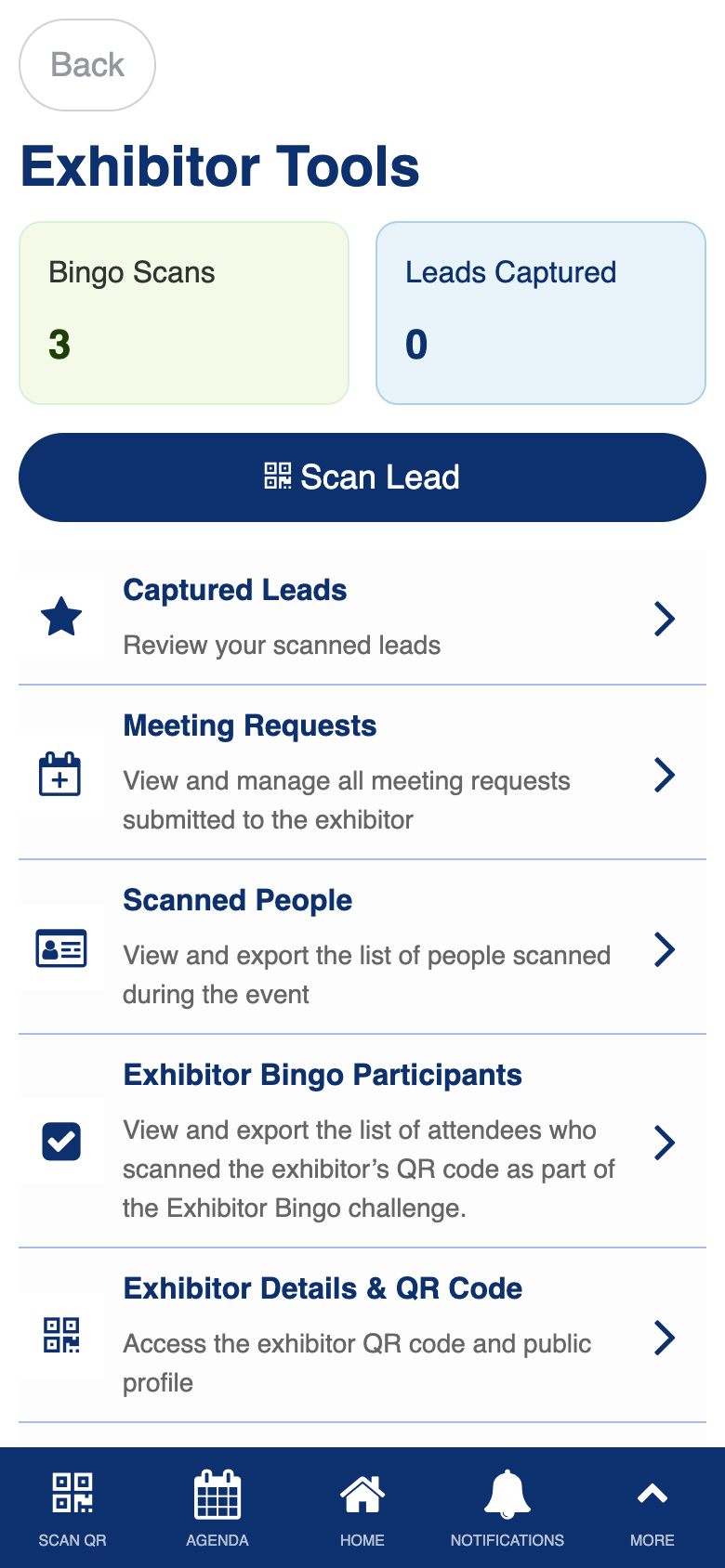
Custom exhibitor dashboard with performance metrics, lead tracking, and role-based navigation.
Manage Team
Role: Exhibitor Admin, Admin
The manage team screen lets exhibitor admins update their own exhibitor record. You can add or remove team members, change the designated chat contact, and update exhibitor admin assignments. This is the self-service version of the admin’s manage exhibitor screen, with restrictions that prevent changing the exhibitor name or bingo participation status.
- Add or remove colleagues from your exhibitor team
- Designate which team member handles inbound chat messages from attendees
- Grant specific team members access to team management features
- Team members share access to lead capture data and appear as exhibitor contacts
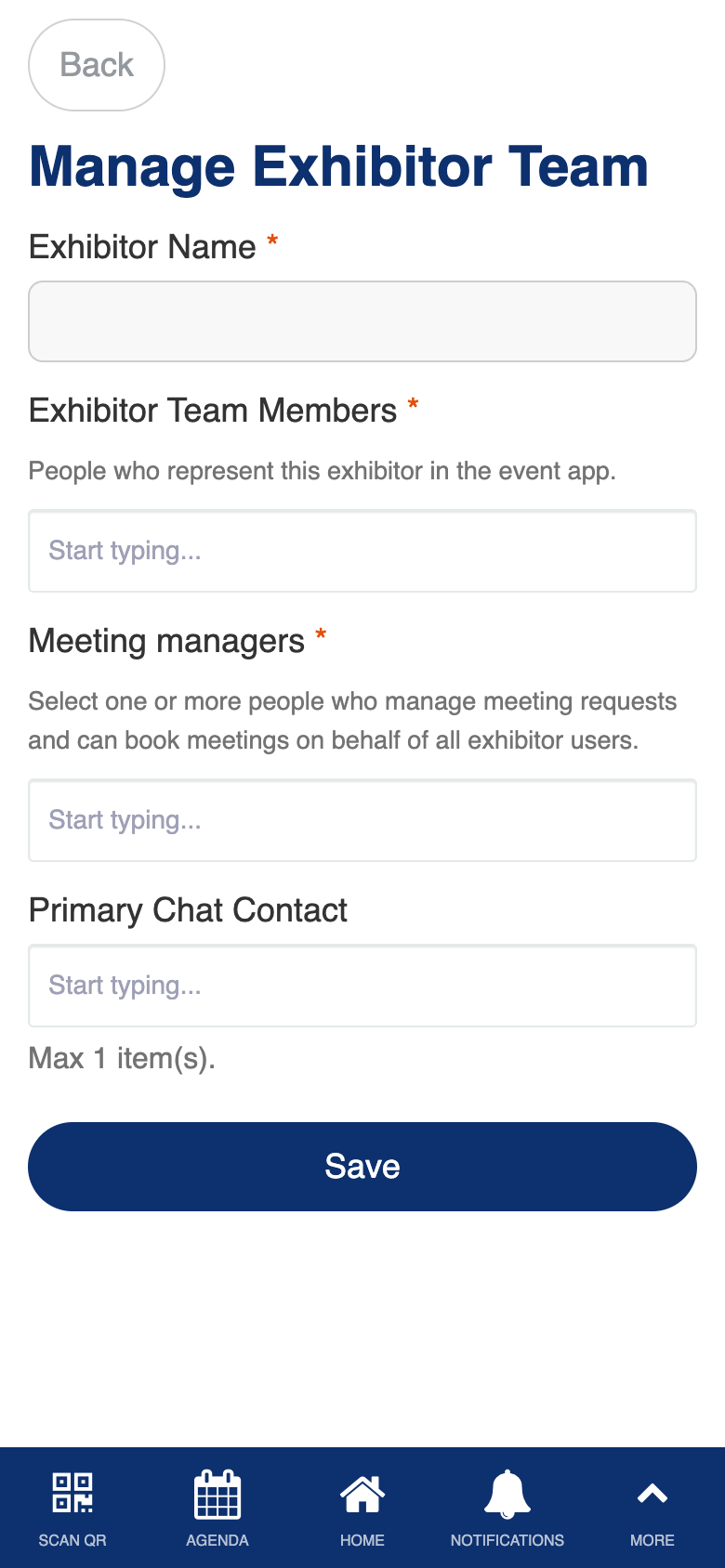
Custom self-service team management with restricted editing (cannot change exhibitor name or bingo status).
Exhibitor Bingo
Role: All Users
Exhibitor bingo is a gamified challenge that encourages you to visit exhibitor booths by scanning their QR codes. A progress card shows how many exhibitors you have scanned, how many remain, and whether you have qualified for the prize draw. The animated progress bar and status messages keep the experience engaging and competitive.
- Track your bingo progress with a visual stats card showing scanned, available, and remaining counts
- See an animated progress bar that fills as you visit more exhibitor booths
- Know instantly whether you have qualified for the prize draw or how many more scans you need
- View a list of all exhibitors you have already visited
- Tap any visited exhibitor to see their full profile
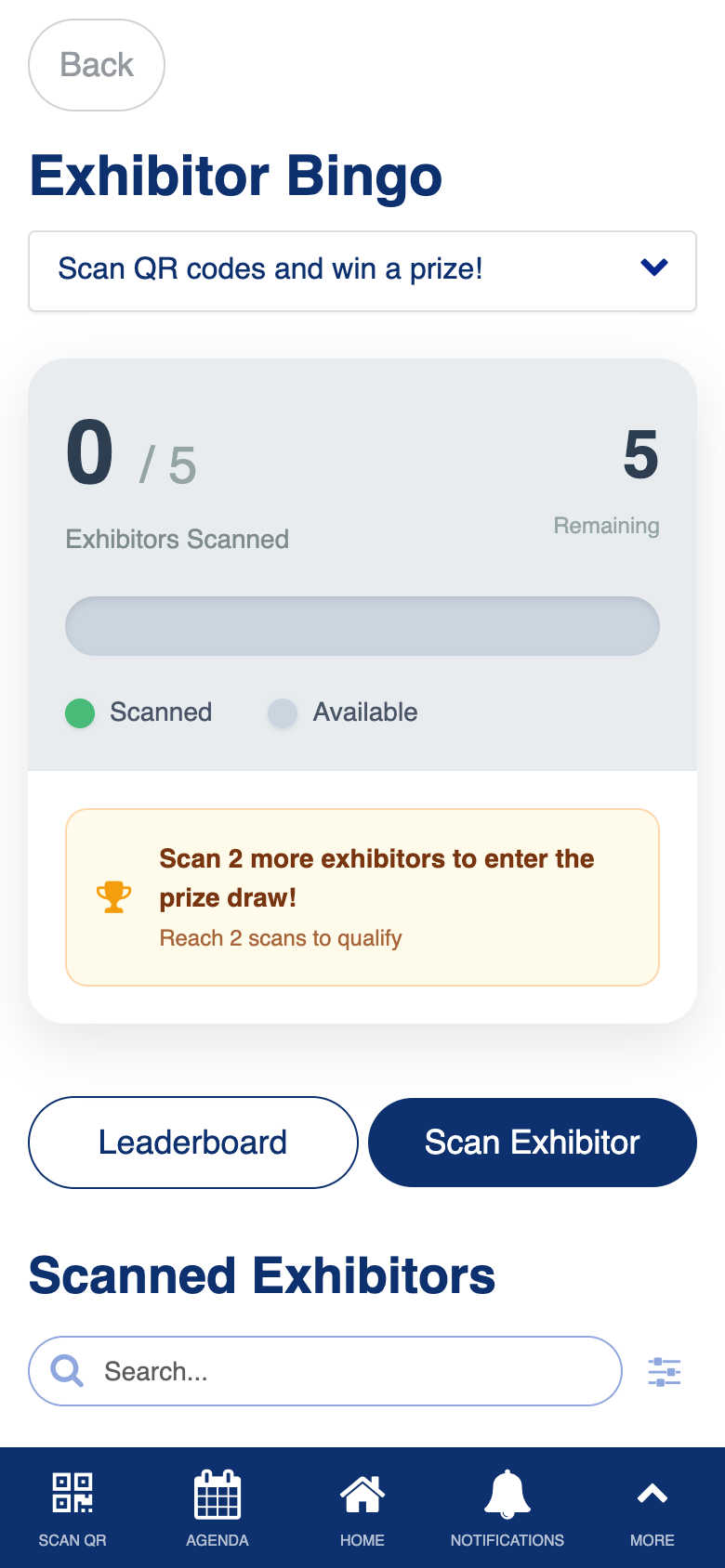
Custom progress tracking with animated stats card, prize draw qualification detection, and exhibitor navigation.
Manage Exhibitor Bingo
Role: Admin
The manage exhibitor bingo screen lets admins set the prize draw qualification threshold, which determines how many exhibitor booths an attendee must visit to enter the prize draw. The screen shows the current count of bingo-participating exhibitors to help you set a meaningful target.
- Set the number of exhibitor scans required to qualify for the prize draw
- View how many exhibitors are currently participating in bingo
- The threshold is displayed dynamically on the attendee-facing bingo screen
- Negative values are rejected with a validation message
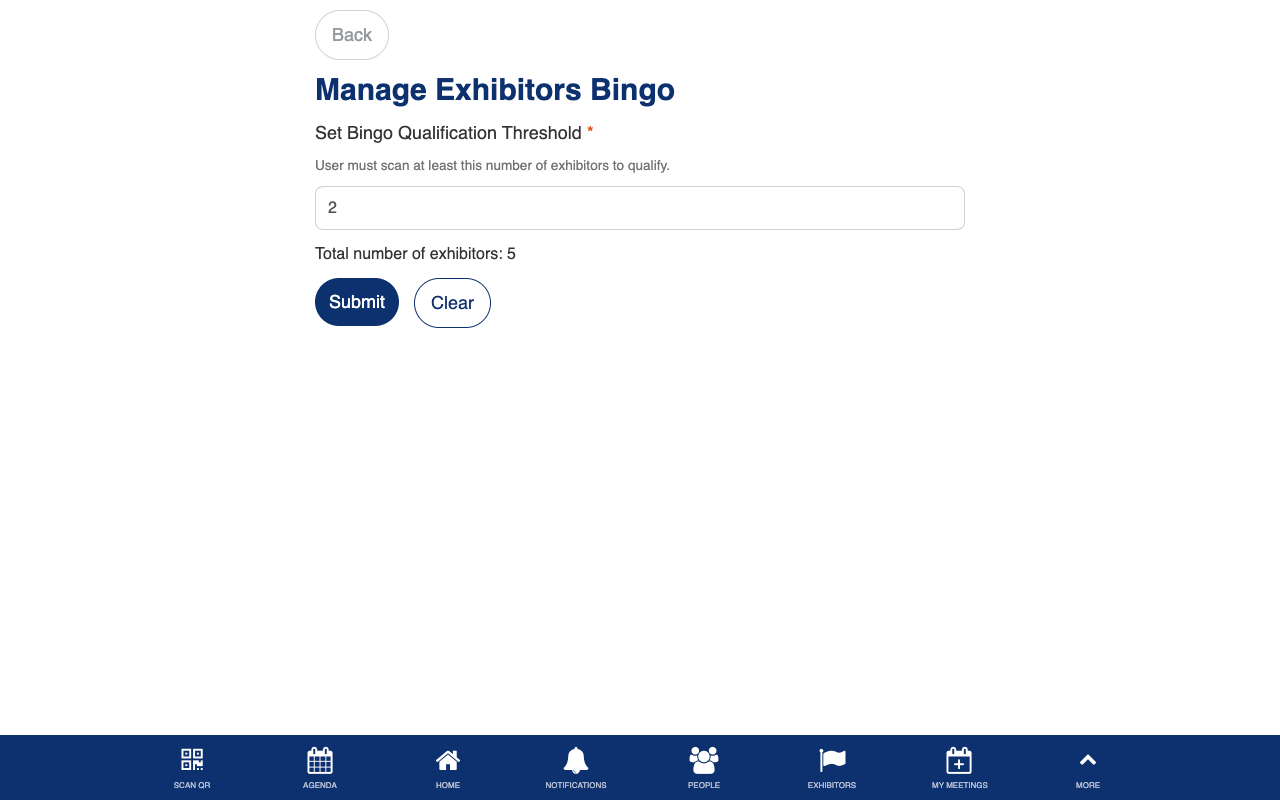
Exhibitor Bingo Leaderboard
Role: All Users
The bingo leaderboard ranks all participants by the number of exhibitor booths they have scanned, creating friendly competition during the event. Prize draw winners are highlighted with a gold trophy badge. Exhibitors can download a CSV of qualified participants for post-event follow-up, and view the leaderboard filtered to participants who scanned their specific booth.
- View ranked participants sorted by number of exhibitor scans
- Prize draw winners are tagged with a gold trophy badge
- Filter the leaderboard to show only winners or all qualified participants
- Tap any participant to view their attendee profile
- Download the participant list as a CSV file (exhibitors only)
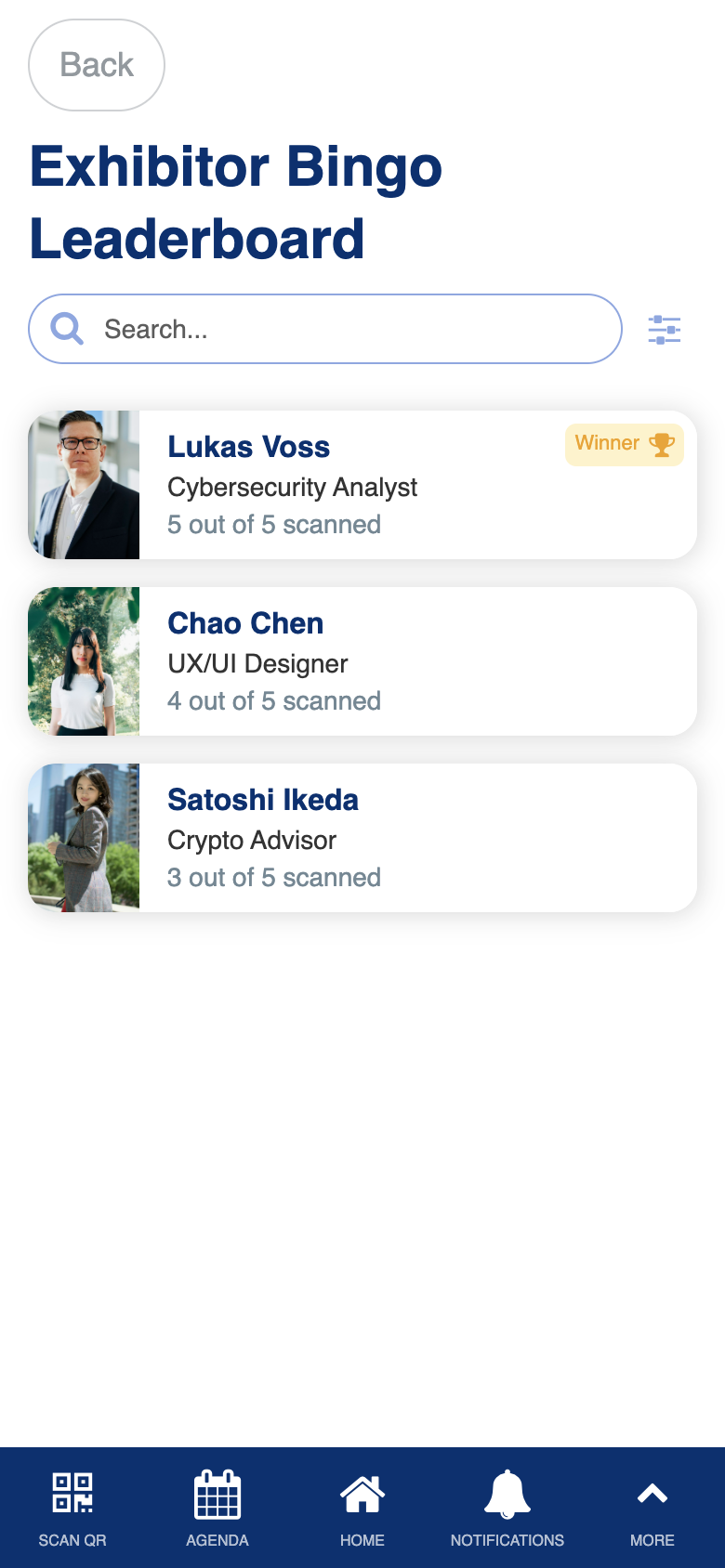
Custom leaderboard with winner tagging, qualification filtering, and CSV export for exhibitors.
Exhibitors Bingo Report
Role: Admin
The bingo report gives admins a complete view of all bingo participants and powers the prize draw. You can see every attendee who has participated, their scan counts and qualification status, and randomly draw winners from the pool of qualified entrants. Drawn winners are tagged in real time without requiring a page reload.
- View all bingo participants with their scan counts and progress percentages
- Filter between drawn winners and qualified entrants
- Draw a random prize winner from all qualified, non-winning participants
- Record winner notes during the draw for reference
- Winners appear with a gold badge on the list immediately after the draw
- View the current qualification threshold displayed dynamically
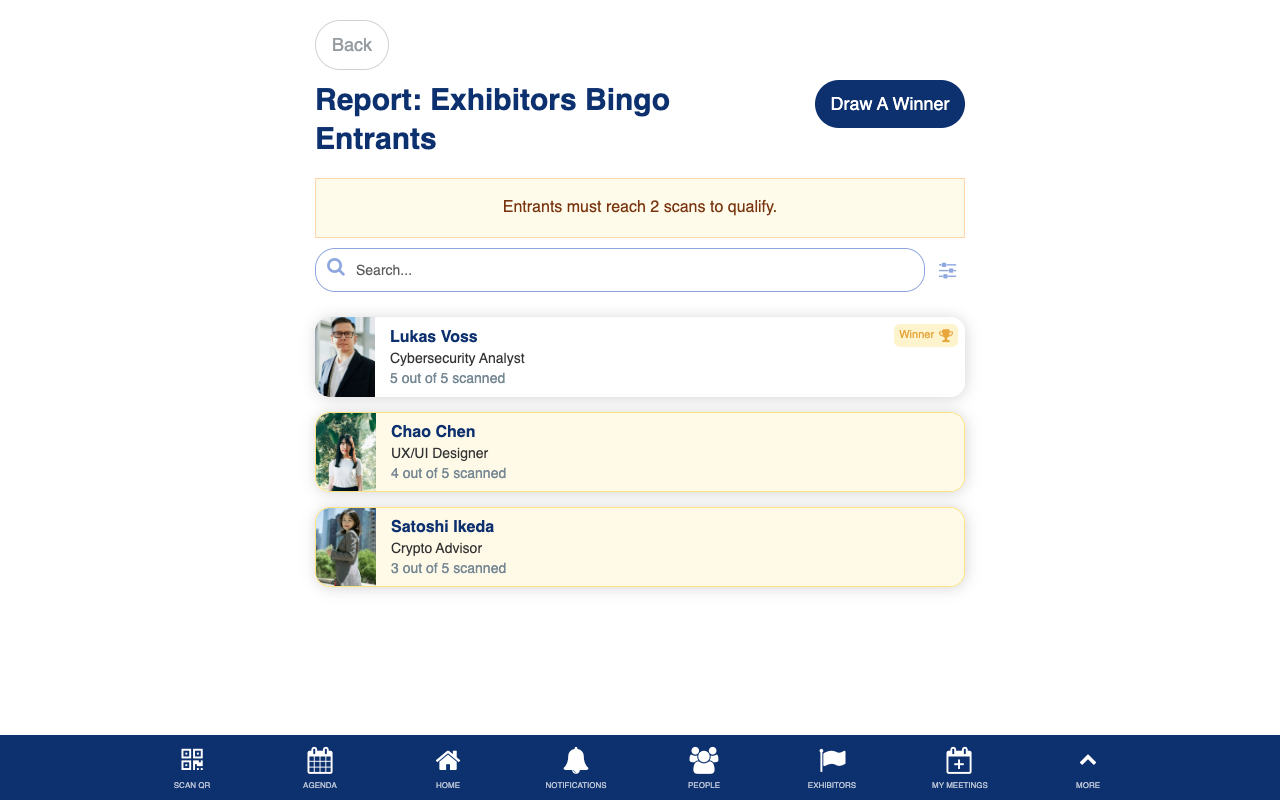
Custom prize draw workflow with random selection, real-time winner tagging, and qualification filtering.